The simplest way to change the configuration of the Live Help Client is using the Client Setup program.
To run Client Setup:
Choose Live Help Client Setup from the Fujitsu Live Help program group on the Start menu or the Apps screen. OR...
Run the Live Help Client program and choose the Change Settings button in the Client startup dialog box.
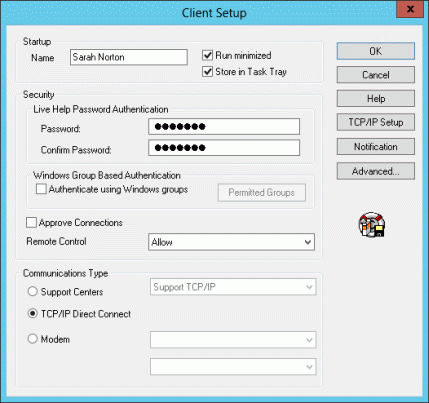
The Client Setup dialog box will be displayed.
Note
Only users with administrative privileges can change Client's configuration when the access control is enabled on the Live Help Client program using Live Help Security Setup command. If a user without administrative privileges starts the Client Setup program in such situation, all menu items will be grayed out and he/she can only see the settings of Live Help Client. Refer to the "Appendix G - Live Help Security Setup command" in the "Live Help User's Guide" for more information.
Do not start Client Setup program or change the Live Help Client settings during a session. If you change the settings during a session, the session may close unexpectedly or Live Help Client program may quit unexpectedly.
If you launch the Client Setup program by pressing the Change Settings button in the Client Startup Screen, exiting the Client Setup program will cause the Live Help Client application to restart.
Refer to following sections for details on items that can be changed in Client Setup.