During the support session, the Support Specialist can close your Live Help Client application for you once your problem or question is resolved. However, at any time during the session you can end the Specialist's connection to your computer and close Live Help.
To close (exit) Live Help during a session:
Click the minimized Live Help Client program icon. The following dialog appears.
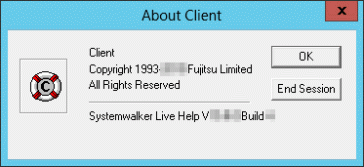
Click the End Session button.
The Client application closes, and the session ends. The Specialist can no longer connect to your computer.