Note
Do not perform this procedure if operating Systemwalker Software Configuration Manager under the following conditions:
Operations in linkage with ServerView Resource Orchestrator
Operations on the same admin server as the Systemwalker Runbook Automation Management Server
Note the following points before canceling setups.
Deleting directories
If a directory was specified during setup, it will still exist after the setup is canceled, and must be manually deleted after canceling the setup:
Process Management Database directory
Note
When canceling the setup for Systemwalker Runbook Automation:
Execute the "isstat" command and ensure that Interstage is running.
Follow the steps below to stop Systemwalker Runbook Automation:
Log in to the Admin Server as a user with administrator privileges.
Stop Systemwalker Runbook Automation:
[Windows]
%SWRBA_HOME%\bin\swrba_stop |
[Linux]
/opt/FJSVswrbam/bin/swrba_stop |
Note
If the operating system being used is Windows Server 2008 or later, execute the command above as an administrator.
Follow the steps below to delete the Systemwalker Runbook Automation environment:
Note
To cancel the setup, log in as the same user that executed the setup.
Log in to the Admin Server as a user with administrator privileges.
Execute the following command to start the Systemwalker Runbook Automation Setup Cancellation Tool:
%SWRBA_HOME%\bin\swrba_setup -u
Click the Next button.
It is recommended to backup resources such as ticket histories, because they will be deleted.
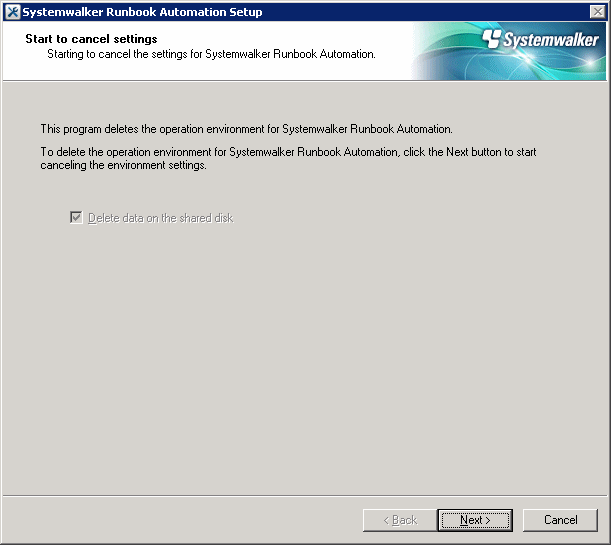
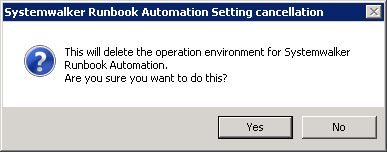
Click the Yes button.
Setup cancellation will start.
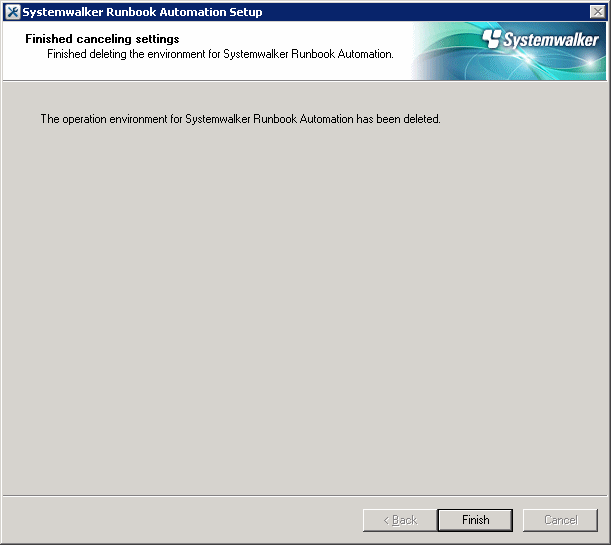
Setup cancelation will complete.
Click the Finish button.
Note
If an error occurs during the cancellation of the setup
Take the appropriate action based on the message displayed, and then cancel the setup again.
If it still fails, then follow the steps below to uninstall each product:
Cancel the setup for the CMDB.
[Windows]
Depending on the error status, an error may occur at this step because the setup cancellation has already completed, but it can be ignored.
"%SWCMDB_INSTALL_PATH%\FJSVcmdbm\bin\cmdbunsetupenv.bat" -k ALL
"%SWCMDB_INSTALL_PATH%\FJSVcmdbm\bin\cmdbunsetupenv.bat" -k MGR
Uninstall Systemwalker Software Configuration Manager.
Refer to "5.2.2 Uninstalling Systemwalker Software Configuration Manager" for details.
Follow the steps below to delete the Systemwalker Runbook Automation environment:
Execute the following command to start Systemwalker Runbook Automation setup:
/opt/FJSVswrbam/bin/swrba_setup -u
At the prompt for setup cancellation confirmation, enter "y":
================================================================================
       Systemwalker Runbook Automation Setup Tool
                                   V15.1.3
                                   Copyright FUJITSU LIMITED 2010-2014
================================================================================
Starting to cancel settings for Systemwalker Runbook Automation.

Do you want to start the unsetup? [y:yes/n:no]
ENTER==>
Setup cancellation will start.
The message below will be displayed:
Deleting the environment for Systemwalker Runbook Automation from the management server.
Starting to delete the CMDB environment.
Deletion of the CMDB environment is now complete.
Canceling the environment settings for Systemwalker Runbook Automation.
The environment settings for Systemwalker Runbook Automation have been canceled.
Deletion of the Process Management Database is about to start.
Deletion of the Process Management Database is now complete.
The environment for Systemwalker Runbook Automation has been deleted from the management server.
Setup cancellation will complete.
Note
If an error occurs during the cancellation of the setup
Take the appropriate action based on the message displayed, and then cancel the setup again.
If it still fails, then follow the steps below to uninstall each product:
Cancel the setup for the CMDB.
[Linux]
Depending on the error status, an error may occur at this step because the setup cancellation has already completed, but it can be ignored.
/opt/FJSVcmdbm/bin/cmdbunsetupenv.sh -k ALL
/opt/FJSVcmdbm/bin/cmdbunsetupenv.sh -k MGR
Uninstall Systemwalker Software Configuration Manager.
Refer to "5.2.2 Uninstalling Systemwalker Software Configuration Manager" for details.
The resources in the LDAP directory listed in the table below will be no longer required after setup cancellation, and can therefore be deleted.
The table lists the default values - if other values were specified during setup, then delete the corresponding users.
Type | Name |
|---|---|
User | swrbaadmin |
User | swrbasch |
Group | AdminRole |
Group | IflowUsers |
Group | IflowGroups |
Group | Role |
Group | swrba_Exe |
Organizational unit (*1) | Group |
Organizational unit (*1) | USER |
*1: Ensure that there are no users or groups on the organizational unit before deleting it